
Ultra easy PS4 hack – web browser exploit for 11.50 to 13.00 firmware
1st September 2026
PS4 firmware 13.52 hacked by just visiting one website
22nd September 2026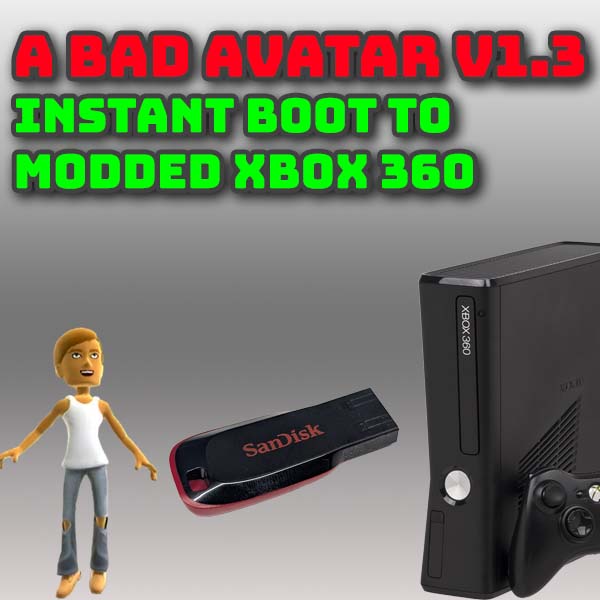
Boot straight to modded Xbox360 with ABadAvatar V1.3 – instant without log in
Bad Update on the Xbox 360 recently got an upgrade to version version 1.3 which I covered in a video a few weeks ago. But we’ve now got the matching update to ABadAvatar from a developer going by the name of bibarub.
If you’re not sure what all this is about, Bad Update is a hypervisor exploit for the Microsoft Xbox 360 which basically means you can mod the console with just a USB drive and no need to open the box or solder anything to the motherboard. ABadAvatar is a fork of this exploit that uses a more convenient entry point to make the soft modding process faster and more seamless.
Once you run either of these mods you end up with a fully homebrewed Xbox360 so you can run games from backup files, emulate other consoles and so much more. Both methods are non persistent so you need to trigger the exploit each time to start the console which is the only real downside compared to a fully hard modded machine.
So in this video I’ll show you how to get ABadAvatar set up and running so that you can boot straight to homebrew as soon as you turn on. So let’s get going.
Parts used :
Xbox360 console https://amzn.to/4dUBFX4
Xbox360 controller https://amzn.to/3HyHYDG
USB drive https://amzn.to/3HqXph9
First Steps – Bad Update
In this video I’m going to assume you’ve already got Bad Update or ABadAvatar running on your console. If you’re starting from scratch work through my Bad Update V1.3 video first to get you to the right starting point.
This should give you a working modded console with all the modding code on a USB drive.
We can now start getting the latest ABadAvatar code installed.
Getting ready for ABadAvatar
ABadAvatar does need an internal storage unit to work. So on your Xbox360 go over to the System menu and select the Storage option. If you don’t have a hard drive or memory unit showing you’ll need to install a hard drive. There isn’t a way around this.
ABadAvatar works by hijacking the sign in code for a corrupted account. To get this to work you need to make sure that the avatar information is loaded onto your Xbox. If you go to the sign in page you should see some avatars. The create and download options will show greyed out avatars, but you should see any real accounts as coloured characters. If these are greyed out as well you don’t have the avatar data installed.
If this is the case you’ll need to reinstall the firmware update to the version needed for the Bad Update exploit. At the moment this is 17559. My Bad Update video goes through the installation process so please have a look at that – https://youtu.be/ExEBOtdr9Xg?si=Pk_JE6wIvkiuyisd&t=101.
Downloading the Code
Now we need to get our USB drive loaded with the new software. Take the USB drive out of the Xbox and pop it into your PC.
Next head over to the bibarun GitHub repository which at the time of making this video is at V1.3 Beta.
There’s lots of useful information on here so do please have a read through. But one of the most important sections is the big warning about disconnecting from the Internet.
Both Bad Update and ABadAvatar are non persistent mods. This means that when you turn off or reset the console the mod is also deactivated. When you power on the console it initially starts as a stock machine, but with homebrew code loaded onto it. If the console connects to the Microsoft servers in this state it can get your account blocked and your console banned. So the general rule is to keep the Internet connection off and only turn it on when the mod is active and you need it. When the mod is active it will protect your console and account. Then turn the Internet off again before you shut down the Xbox.
Again this is one of the big drawbacks of the Bad Update system when compared to an RGH3 modded console. If you are interested in hard modding your Xbox 360 then do check out my in depth tutorial on that.
But with that warning out of the way let’s go to the assets section and download the latest version. This will download as a zip file so just save this to a folder on your computer and then extract the files.
Updating the USB Drive
All that’s left to do now is to merge these new files with the files already on the USB drive.
Navigate to your USB drive and go into the BadUpdatePayload folder. This contains the exploit payload files for either Bad Update or ABadAvatar. Whichever exploit you currently have installed you need to delete the BadUpdateExploit .bin files. Once those are deleted then delete the update_data.bin and xke_update.bin files as well.
Now go to your extracted download folder and copy the BadUpdatePayload folder and paste that into the root of your USB drive. This will put the new ABadAvatar files into the same folder on the USB drive. If you get any messages about merging folders or overwriting files just say yes.
Next we need to go back to the download folder and copy the Content folder. Again this just needs to be pasted into the root of the USB drive. All the files will then be merged with the existing content folder so again say yes to any merging or overwriting warnings.
And that’s it! So eject your USB drive and pop it back into the Xbox360.
Booting to ABadAvatar
Back on the Xbox first make sure that your Internet connection is turned off. Either unplug your ethernet cable if you’re using one or go to the System menu, Network settings and disconnect your WiFi.
Next we need to make sure that we’re not auto booting into the wrong account. ABadAvatar will create a new account with the exploit so we need to boot into that account. So log in to the account you normally boot into when the console starts. Then press your guide button, go to settings, then profile and then Sign In preferences.
Make sure you turn of the auto sign in for all accounts.
Now we’re ready to see the magic happen.
Go back to the Guide and the Settings page and turn off the console. Once that’s turned off just reboot and wait to see what happens.
If all’s gone well your console will boot up with the start animation, then try to log in with the Bad Avatar account and you should be instantly taken to the XeUnshackle success page with a fully enabled and modded console. Just click the back button and you’ll drop straight into Aurora if you’ve got that set up.
And that’s all there is to it!
Conclusion
So that’s your Xbox360 set to autoboot into ABadAvatar with the latest and fastest exploit method so far. If at some point the exploit fails just power off and try again. It’s close to 100% perfect but you’ll get the odd fail every now and again.